


MPanel
all about tension structures

| Deep Catenary AutoCAD Rhino |
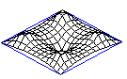
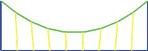
Deep catenaries can be used for entrance arches, shade tents, sculptural effects, etc. This drawing shows how to develop deep catenaries without running into meshing problems. | |
| Advanced Cone Tent AutoCAD Rhino |
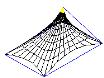
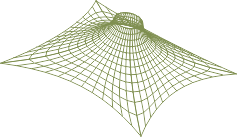
Shows how to build up a cone tent based on an outline frame, with different mesh MSurf on individual meshes. This is needed if the cone tent perimeter shape is irregular, to keep an even mesh density. | |
| Single Sheet Modeling AutoCAD |
The method of modeling using a single sheet over several constraints. This was an earlier modeling technique, used before the capability to relax multiple meshes arrived. For some fabric shapes it is difficult to think of a reasonable multiple set of meshes to define the structure, and so this drawing details the old method. | |
| Modular Tent AutoCAD Rhino |
How to design a modular structure, so that you can add any number of central sections to create different length designs. | |
| Advanced Compensation AutoCAD |
Ordinary compensation or shrink methods work for most situations, but MPanel's compensation can be tailored to fit special circumstances. This drawing illustrates methods for variable compensation, partial decompensation, and changing compensation across the panel. | |
| Natural Pole Angle AutoCAD |
Illustrates the method to find the natural top ring position and pole angle for a cone tent. Uses a structure of links to allow top ring to relax to it’s natural position. | |
| Stress Estimation AutoCAD Imp Metric Rhino IMP Metric |
A basic introduction to stress estimation in a cone tent example. Covers membrane stress variations, cable loads and anchor loads. |
|
| Inflated Structures AutoCAD |
MPanel has a limited capability to handle inflated structures. This drawing illustrates that capability. | |
| Design Checklist AutoCAD Rhino |
When you have completed your design, you might want to go through these steps to help avoid any errors. This is also a useful reference page when you are having problems manipulating your designs with MPanel. | |
| Using Links AutoCAD |
This drawing will explore using link models with MPanel. Links can be Guys, that try to maintain their length, or cable links, that maintain fixed tension | |
| Determining Pre-Stress AutoCAD Imperial Metric |
This example takes a simple shape and shows how the fabric stress is affected by wind and snow loads. It provides an estimate of the required fabric pre-stress, and so provides the information needed to detect a suitable material. |
Advanced Tutorials
Follow the link to download a zip file containing the drawing in AutoCAD or Rhino